


Industrial Labeling • Thermal Transfer • RFID • Supplies • ERP • WMS • Maintenance • 30 Years of Expertise
Industrial Label Printers: How to Choose the Right Solution for Your Logistics and Production Workflows

A label printer may seem like a minor piece of equipment. In production, logistics, or shipping, however, it is a critical piece of equipment.
A malfunction in a labeling station can cause pallets to be held up. A poorly printed barcode can result in a shipment being rejected upon receipt. A label that peels off in a cold storage room can disrupt the traceability of a batch. A non-compliant RFID label can bring an entire WMS workflow to a standstill.
For more than For 30 years, CIPAM has been helping manufacturers and logistics providers select, deploy, and maintain labeling solutions tailored to on-site requirements. This experience—gained at hundreds of sites across all industries—allows us to do more than just sell a printer; we recommend the right equipment for your workflow, your environment, and your IT system.
Printing technology, daily volume, environment, consumables, WMS/ERP integration, RFID requirements, maintenance, cybersecurity, and leasing: each of these factors influences the reliability of labeling and the actual operating cost.
Need to choose, replace, or connect your industrial label printers?
Printer selection based on your volume, environment, and IT infrastructure
Selection of labels, ribbons, and adhesives tested under real-world conditions
Integration with ERP, WMS, MES, CMMS, or labeling software
Maintenance, leasing, fleet renewal, and service continuity
30 years of hands-on experience — over 50 hardware partners
What labeling requirements do you need to meet?
You don’t choose an industrial printer based on a spec sheet. It must be suited to a specific use within your workflow. Over the course of 30 years of projects, CIPAM has learned that making the wrong choice from the start—such as using an office printer on a shipping dock or a direct thermal printer in a cold storage room—always ends up costing far more than the initial price difference.
Direct thermal or thermal transfer: the question everyone underestimates
This is the first decision you’ll make, and it’s often where costs skyrocket. The choice of printing method determines the label’s lifespan, durability, code readability, and the overall cost of consumables over a 3–5-year period.
A common mistake encountered in the field: installing a direct thermal printer at a shipping dock “because it’s cheaper.” Six months later, the labels are unreadable, inventory counts are inaccurate, and the cost of rework far exceeds the savings on ribbons.
CIPAM’s recommendation after 30 years of field experience: direct thermal printing is suitable for labels with a short lifespan and low exposure. Whenever a label needs to remain legible over time or withstand a harsh environment, thermal transfer is the only reliable option. It’s not a question of budget; it’s a question of TCO.
Desktop, industrial, mobile, or RFID: Which product line is best for which application?
The product line determines the printer’s durability, print speed, lifespan, and integration capabilities. Using an office printer in a mission-critical environment means dealing with a breakdown within six months.
Print, encode, verify, and connect: Labeling Becomes a Key Link in the Traceability Chain
RFID Printer: Print and Encode in a Single Workflow
An RFID printer encodes the tag’s chip during printing. In a single pass, the tag emerges with its graphic design printed AND its EPC encoded. If the encoding fails, the tag is automatically rejected or marked as VOID. Quality control is thus built in.
As soon as volumes exceed a few hundred RFID tags per day, encoding them separately would mean adding another workstation, increasing the risk of desynchronization between the visual display and the chip, and losing the ability to audit the flow.
Items to verify before deployment:
- RFID frequency: UHF (860–960 MHz, logistics standard) or HF (13.56 MHz, medical, access);
- Media type: standard printable, on-metal, high-strength, logistics;
- Position of the inlay on the label: must match the printer’s encoding area;
- Printer, label, antenna, and software compatibility;
- Usage conditions: metal, liquid, temperature, friction, read range.CIPAM provides comprehensive validation support: RFID printers, compatible consumables, encoding tests, real-world read tests, and integration into the information system. No RFID deployment should proceed without on-site testing. For more information: RFID traceability, RFID tags: choosing the right substrate, and field data acquisition.
ERP, WMS, or Labeling Software Integration: Eliminating Data Entry Errors
A printer that is not connected to the information system is a printer that is not being used properly. Variable data—product code, lot number, best-by date, quantity, destination, SSCC—must come from the system, not from manual entry by the operator. Every manual entry is a potential source of error.
An often-overlooked issue: the procedure for handling system failures. At a critical shipping station, a system failure at 3 a.m.—without a backup printer or a recovery procedure—costs far more than the equipment itself. CIPAM systematically includes this point in its recommendations. Going further : integrate your existing environments and and make the most of field data.
Supplies: The True Cost of a Printing Solution
A printer that costs €1,200 will require €4,500 in supplies over three years. It’s the TCO that matters, not the purchase price. A resin ribbon costs 2 to 4 times more than a wax ribbon—but sometimes it’s the only one that works in your environment. A PP label costs 3 to 5 times more than a paper label, but lasts 10 times longer in a humid environment.
6 real-world scenarios — 6 different approaches
Thirty years of projects have shown that every context has its own unique constraints. Here are the scenarios CIPAM encounters most frequently, along with the observed results.
E-commerce Logistics Platform
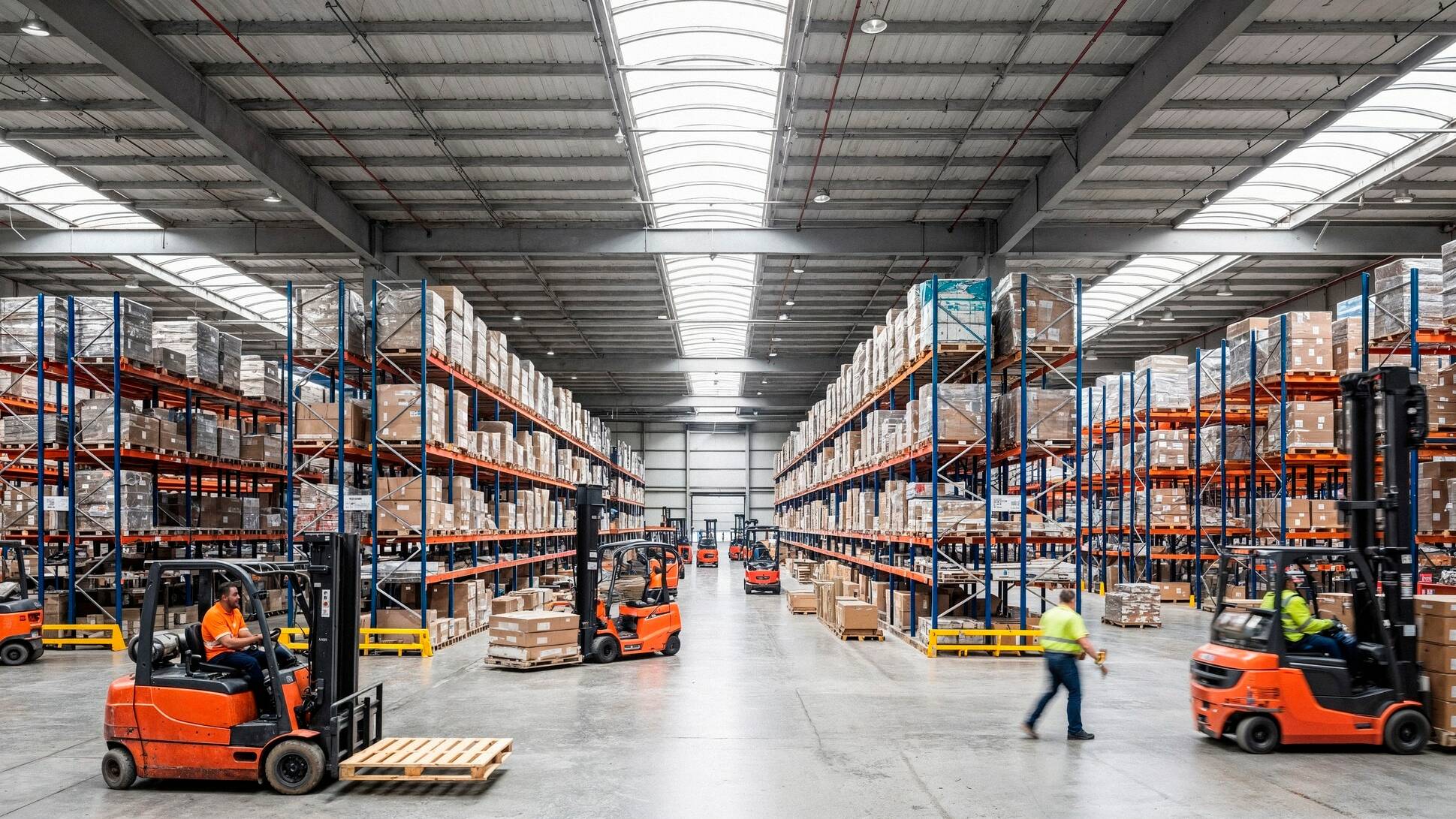
An operator handling 15,000 packages per day had a 0.4% labeling error rate: 60 packages subject to claims per day. Cause: 4 PCs with out-of-sync templates. After deploying 6 Zebra ZT411 printers controlled by NiceLabel Server + WMS integration: error rate reduced to 0.02%. ROI in 7 months.
Goal: zero errors, maximum workstation availability.
Food Cold Chain
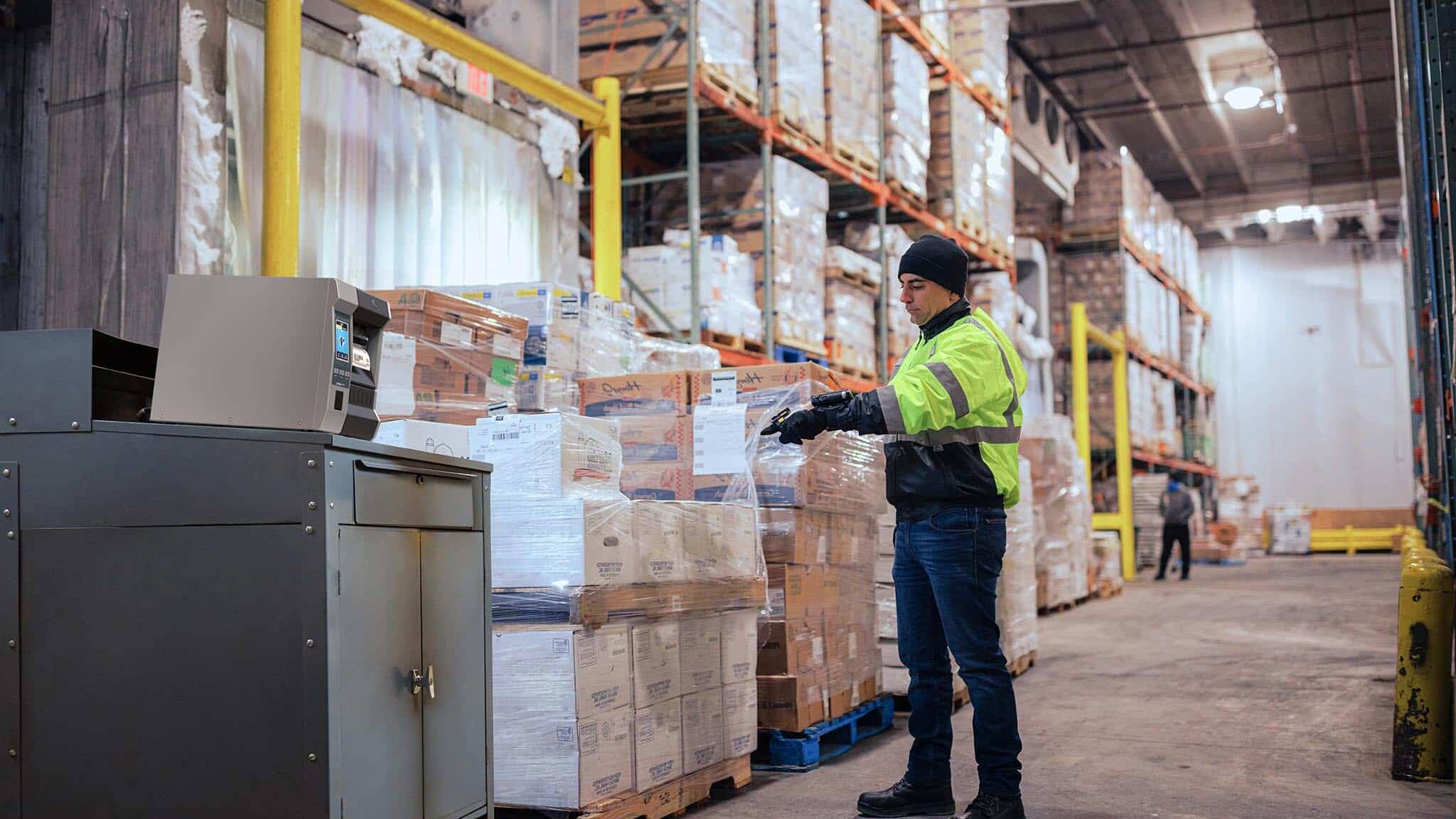
A frozen food manufacturer was using direct thermal printing on pallets. In a −18°C storage room, the codes became unreadable within a few hours. Switch to TT on PP + resin ribbon: perfect readability at −30°C throughout the entire shelf life (18 months). Consumable cost ×3, rework cost ÷20.
Objective: To maintain traceability despite the cold and condensation.

Pharmaceutical Manufacturing
A packaging facility needed to track every print job. NiceLabel was deployed with access controls and a comprehensive audit trail. Compliance with CFR 21 Part 11 was achieved on the first audit. Zero labeling non-compliance over two years.
Objective: To secure templates, printouts, and audit trails.
ATEX Industrial Maintenance
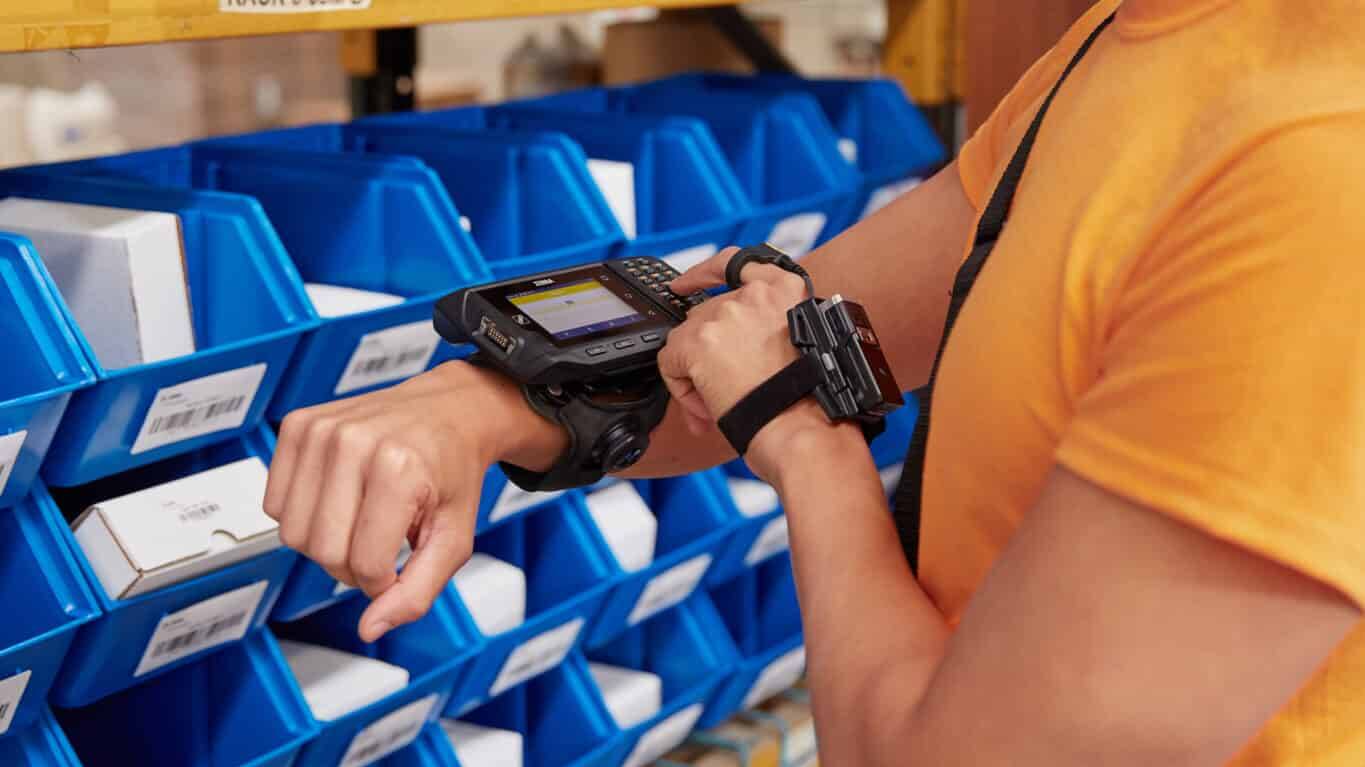
A field team used to label spare parts manually. After deploying four Zebra ZQ630 scanners connected to the CMMS via Wi-Fi, labeling time was reduced by a factor of four, and there have been zero part number errors since the deployment.
Objective: To minimize errors and speed up identification in the field.

RFID Traceability — Containers and Pallets
RFID printer: chip encoding and visual printing in a single process. Supports on-metal printing on metallic surfaces. On-site readability testing required. No desynchronization between the visual label and the identifier.
Objective: Visible printing, encoded EPC, and automatic traceability.
Critical Position 24/7
For a position that affects shipping or production: a configured backup printer, a maintenance contract, approved supplies, and a documented recovery procedure. CIPAM systematically includes this item starting in the scoping phase.
Objective: To prevent a printing failure from disrupting workflows.
Buy or Rent: Which Model Is Right for Your Fleet?
Purchasing remains a viable option for stable needs and a limited number of devices. Leasing becomes an attractive option once the fleet exceeds about ten units, when the devices are mission-critical, or when the company wants to smooth out its costs.
The right calculation: compare CAPEX + maintenance + supplies + management time over 3–5 years versus an all-inclusive lease payment. For a fleet of 10 industrial printers, the difference can be surprising—CIPAM can help you calculate it based on your specific situation.
Quick Selection Matrix
Drawing on 30 years of practical experience, here are the key questions and the resulting guidelines.
CIPAM: 30 Years of Recommendations, Deployments, and Maintenance
Why CIPAM?
It’s not just about choosing a model from a catalog. It’s about recommending the right solution for your workflow, your environment, and your information system. That’s what CIPAM has been doing for 30 years, at hundreds of sites, across all industrial and logistics sectors.
The experience we’ve gained helps us avoid common mistakes: using office equipment on a critical workstation, direct thermal printing in a cold room, generic supplies that wear down the print head, and printers not included in the contingency plan.
The support includes:
- needs and workflow analysis;
- choosing the right printer;
- selection and testing of labels, ribbons, and adhesives;
- readability tests, RFID encoding, and durability under real-world conditions;
- IT integration (ERP, WMS, MES, CMMS);
- on-site deployment and training;
- maintenance, after-sales service, and service continuity;
- leasing or renewing a vehicle fleet;
- Complementary technologies: RFID, barcode scanners, print verifiers, V275 system.
A Comprehensive Approach to Industrial Labeling
A reliable labeling project depends on more than just a printer. It requires the coordination of hardware, consumables, templates, software, data flows, and on-site constraints.CIPAM supports the entire process:
- Identify products, lots, assets, containers, or locations;
- Print labels that are legible and suited to their environment;
- Encode RFID tags when automatic reading is required;
- Check the print quality and ensure the information is accurate;
- Connect printing to the ERP, WMS, MES, or CMMS;
- Maintain equipment to ensure service continuity.CIPAM also distributes and integrates: automatic labeling robots for high-speed production lines and print quality checkers to validate each label before shipment.
Describe your industrial labeling needs
30 years of projects, over 50 hardware partners, hundreds of sites deployed. Describe your situation: volume, environment, RFID requirements, current software, and urgency of migration. CIPAM will provide a concrete, well-reasoned recommendation.Needs and Workflow Analysis
Selection of printers, supplies, and software tested under real-world conditions
IT Integration and On-Site Deployment
Fleet maintenance, replacement, or leasing
FAQ: Industrial Label Printers
Direct thermal printing is suitable for temporary labels (6–18 months of readability). Thermal transfer printing guarantees readability for up to 25 years. It is the mandatory standard whenever a label must withstand an industrial, logistics, or food-grade environment.
A semi-industrial or industrial model, depending on the daily volume. An office-grade printer on a shipping dock simply won’t hold up under heavy use. In my 30 years of field experience, this is one of the most common and costly mistakes.
Whenever a label needs to be printed and an RFID tag encoded in the same process, the single-pass process eliminates the risk of desynchronization. The substrate and reading conditions must be tested on-site before any deployment.
Yes, directly. The substrate, ribbon, adhesive, and their compatibility with the printer determine the label’s readability, durability, and lifespan. Non-certified supplies also shorten the printhead’s lifespan. The right consumable isn’t the cheapest one—it’s the one that works in your environment.
Yes. Via a driver, labeling software (NiceLabel, Loftware, Teklynx), or direct ZPL printing. The choice depends on volume, compliance requirements, and IT architecture. Also plan for a recovery procedure in the event of a failure—something that’s routinely overlooked but always regretted.
Yes. Network-connected printers (Wi-Fi, Ethernet, Bluetooth) are subject to European cybersecurity regulations. CIPAM assists its clients with compliance verification. Learn more.
Purchasing is suitable for a stable and limited need. Leasing is a good option for a large fleet, seasonal needs, or a critical position where service continuity must be contractually guaranteed. A proper calculation compares CAPEX + maintenance + consumables + management time over 3–5 years.
The ZT411 is the direct successor, compatible with ZPL consumables and templates. This is also a good time to consider an RFID or cutter option. See our Zebra migration guide.